
Inkra
Native Markdown Editor for Mac
Description
Screenshots
What's New
Version 1.0.0 • Initial Mac App Store release • New: free app for iPad and iPhone • Interface in all 24 official EU languages • Imprint, privacy policy and accessibility statement in German and English in the About dialog • Editor and preview improvements • Also available as direct download
Version 0.2.0 • File history with grouped time sections (Today, Yesterday, 7/30 Days) • Session restore: folder, file, cursor and scroll position restored on launch • Outline panel in editor for quick navigation • REST API with Swagger UI and OpenAPI specification • License key instead of subscription token for Inkra KI • Context menu to remove history entries • Complete localization for all 23 languages • Minor fixes and stability improvements
Version 0.1.0 • Initial release • Native editor with TextKit 2 and AST-based syntax highlighting • Live preview with KaTeX, Mermaid and highlight.js • AI assistant with Claude, OpenAI, Ollama and Inkra KI • Writing actions: proofread, shorten, expand, translate • Sidebar with file tree and document outline • HTML and PDF export • MCP server and debug API • 20+ languages
Features
Native Editor
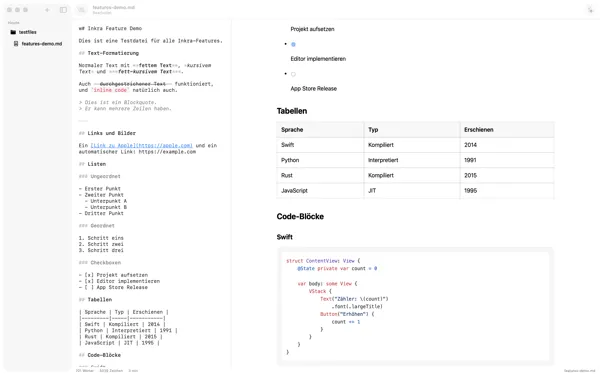
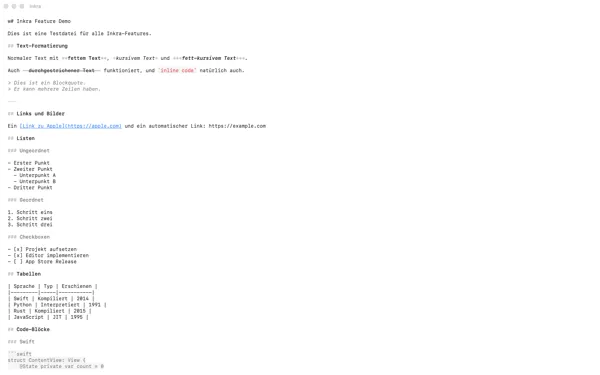
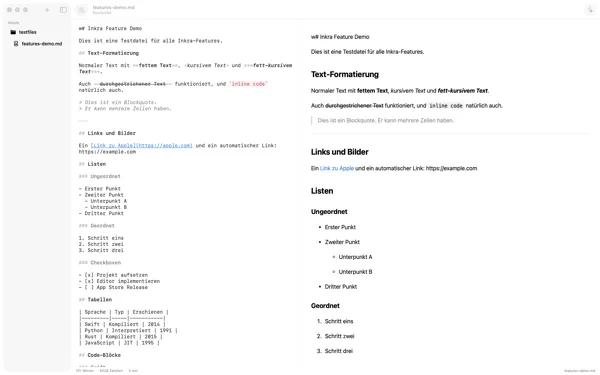
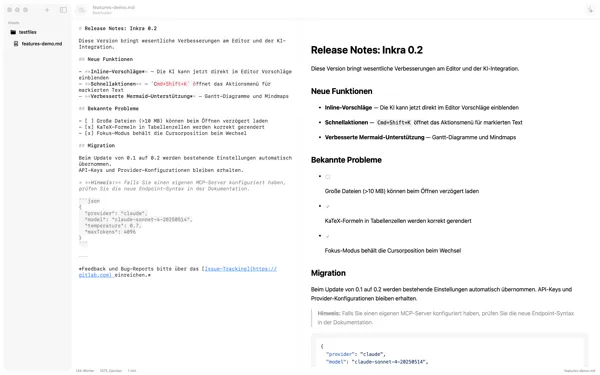
NSTextView with TextKit 2 — AST-based real-time syntax highlighting, focus mode and wide mode.
Live Preview
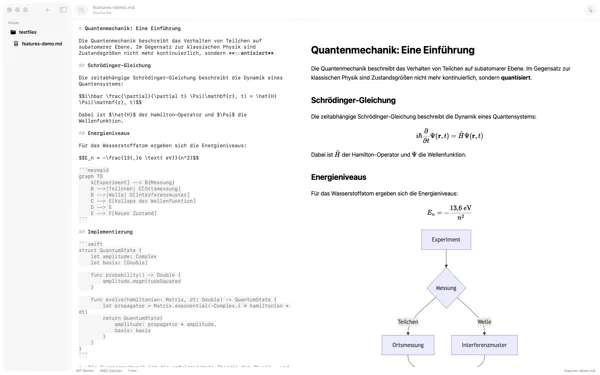
WKWebView with incremental DOM updates. KaTeX formulas, Mermaid diagrams and code highlighting.
AI Assistant
Chat panel with streaming. Claude or OpenAI with your own API key, or locally with Ollama — proofread, shorten, expand, translate.
Inkra KI (Inkra Pro)
AI features without your own API key — part of the Inkra Pro subscription, on the Mac and, with the same licence key, also in the free app for iPad and iPhone.
Export
HTML and PDF with full layout — formulas, diagrams and code blocks are exported correctly.
MCP Server (Inkra Pro)
AI assistants like Claude Code control the editor. Part of Inkra Pro, only in the version from our store.
File Management
Sidebar with file history and document outline. Recently opened files and folders with session restore.
24 Languages
Fully localized interface for all official EU languages — German, English, French, Spanish and more.
Privacy & Security
Privacy
Your documents are stored as files on your device. Only if you set up syncing between your devices are your documents transmitted via our sync server. Text only goes to an AI service when you use AI features; with Ollama, the AI stays local too. For activation and licence checks, Inkra connects to our licence server.
Frequently Asked Questions
How much does Inkra cost?
EUR 29.99 incl. VAT as a one-time purchase for Mac, no subscription. You can try Inkra free for 14 days first. Inkra KI, the MCP server and the REST API are part of Inkra Pro: EUR 7.99 per month or EUR 79.99 per year, VAT included. The app for iPad and iPhone is free.
Is Inkra available for iPad and iPhone?
Yes, the Inkra app for iPad and iPhone is available free of charge from the App Store and needs no licence. The Inkra purchase and the Inkra Pro subscription apply to the Mac. With Inkra Pro you can use Inkra KI on iPad and iPhone too: enter the same licence key there.
What are the system requirements?
Inkra for Mac requires macOS 14.0 or later. The free app for iPad and iPhone requires iPadOS or iOS 17.0 or later.
Do I need an API key for AI?
In Inkra you use the AI with your own API key (Claude, OpenAI) or locally with Ollama. Without a key of your own, you can use Inkra KI, which is part of Inkra Pro.
Are formulas and diagrams supported in PDF export?
Yes, KaTeX formulas, Mermaid diagrams and code blocks are exported correctly.
Does Inkra need an internet connection?
Yes, for activation and licence checks: Inkra needs an internet connection at least every 40 days. Syncing between your devices and AI services on the internet need one too.
Is Inkra an Electron app?
No, Inkra is natively built with SwiftUI and AppKit. Real Mac performance, no web wrapper.
News by email
Roughly every two to three months: new versions and new Mac apps. No tracking, unsubscribe anytime.

