EdgeFlow
One mouse and keyboard for several Macs — no shared Wi-Fi needed
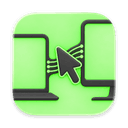
One mouse, one keyboard — up to four Macs.
The pointer moves across the screen edge onto the next Mac and the keyboard follows. No cable, no shared Wi-Fi, different Apple IDs are fine. For everyone Apple's Universal Control leaves out: a work Mac next to a personal one.
EUR 39.99 incl. VAT for customers in the EU; no German VAT outside the EU · One-time purchase, no subscription · 14-day free trial
Version 1.0 (82) · 11 MB
- Price
- EUR 39.99 incl. VAT for customers in the EU; no German VAT outside the EU · One-time purchase, no subscription · 14-day free trial
- Version
- 1.0 (82)
- Size
- 11 MB
- Documentation
- User Manual
- Download
- Download App
Private licence – for private use
For use for a business there is the business licence (Terms, Section 6c) — an annual subscription per seat: Order the business licence
Currently not available to buyers in the United Kingdom.
- The connection stays between your Macs. Directly from machine to machine, no cloud, no account, no intermediate server.
- A vendor you can look up. Developed and supported by Jürgen Koller Software GmbH in Heilbronn; support in English and German.
Features
Across the screen edge
The pointer crosses to the next Mac at the edge and the keyboard follows — no switching, no shortcut
Independent of Apple ID
Works even when your work and personal Mac use different Apple IDs — unlike Universal Control
No shared network
The Macs connect directly to each other. Separate networks are not an obstacle
Paired, not guessed
On first connection both Macs show the same six-digit number — you confirm which devices belong together
Description
Frequently Asked Questions
How much does EdgeFlow cost?
EUR 39.99 as a one-time purchase (incl. VAT for customers in the EU; no German VAT outside the EU), no subscription. 14-day free trial beforehand.
How is this different from Universal Control?
Universal Control requires the same Apple ID on every device. EdgeFlow does not — it also works between a work Mac and a personal Mac with different Apple IDs and on separate networks.
What are the requirements?
macOS 14 or later on every Mac involved, the Accessibility permission (the setup window takes you there), and Wi-Fi switched on — even if you end up connecting over cable.
How many Macs can I connect?
One Mac controls up to three additional Macs, four in total. The licence only covers the controlling Mac; the controlled Macs need none.
Is EdgeFlow available on the Mac App Store?
Not at the moment. EdgeFlow is offered as a direct download via this store. The app is notarised by Apple and opens without any workaround.
Goes well with
 FreezeTextText you can see on one Mac but cannot select: FreezeText captures it with a keystroke — and EdgeFlow carries mouse and keyboard over to the next machine.View product page
 PDF Content SearchIf you work across several Macs, you look for documents on each of them: PDF Content Search searches the full text of entire folders and your Apple Mail messages.View product page
Free alongside
Move text or files between Macs without a shared Apple ID or network, right in the browser: Clipboard →
One mouse, one keyboard — up to four Macs.
EUR 39.99 incl. VAT for customers in the EU; no German VAT outside the EU · One-time purchase, no subscription · 14-day free trial
News by email
Roughly every two to three months: new versions and new Mac apps. No tracking, unsubscribe anytime.